Application support
Portal walkthroughs
Use these references alongside the instructions for your university, degree and scholarship. Your university profile explains which portal comes first.
Reviewed September 22, 2026. CSC Path is an independent guide.
CSC application: from account to submission
This annotated process diagram follows the CGSIS instructions published with Henan University of Chinese Medicine's 2026 graduate notice. It is not a screenshot of a signed-in account. Portal wording may change; the current scholarship notice controls your route.
Step 1 of 6
Register and sign in
Open the CSC application system from the official link. Create your own account and keep access to its email address.
University example: East China Normal University
Actual public login screen captured September 22, 2026. Select a numbered marker for guidance. This screen belongs to ECNU; other universities use different systems.
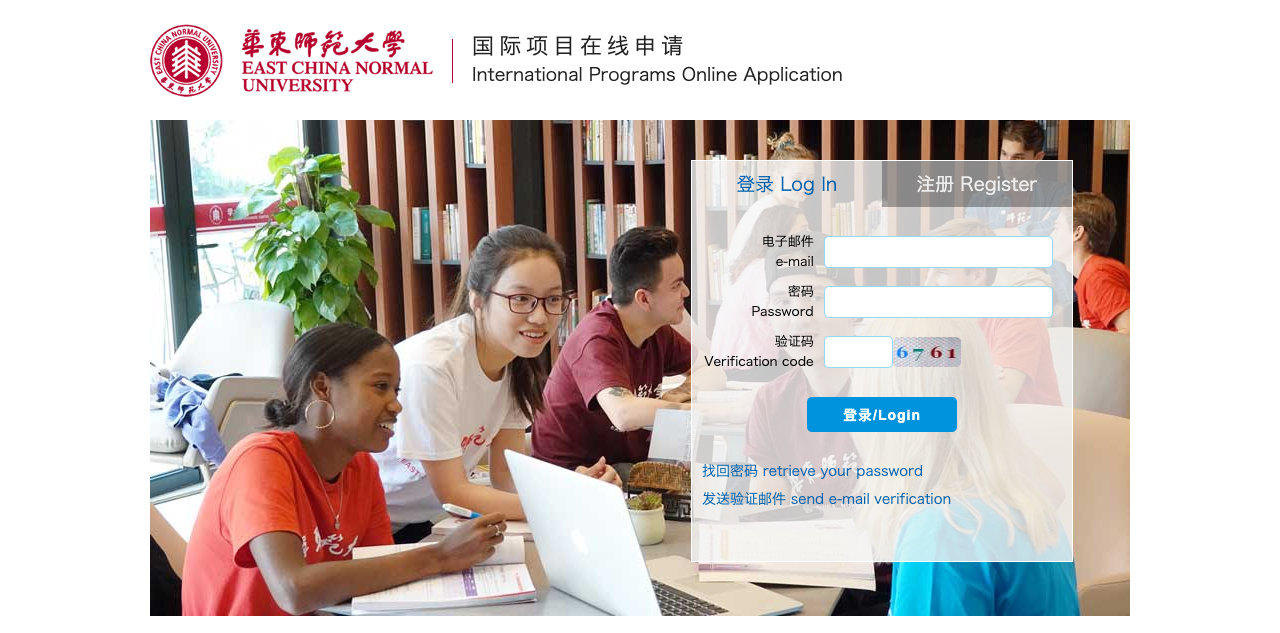
1. New applicant: Register
Select the registration tab to create your account. Read the terms in the official system and use an email you can continue to access.
After signing in: documents and submission
- Choose the application for your degree and funding route. Complete the university form and upload the documents listed for that program.
- For ECNU graduate applications, the current guide describes email invitations to referees. Enter their correct addresses and check that their recommendations arrive.
- Review all entries, follow the application-fee instructions and submit. Keep the acknowledgement and check the portal and email for the university's response.
- For a scholarship, complete its additional system or selection step. University admission and scholarship selection are separate decisions.
These later steps are explained from ECNU's published guide; no private account screens were accessed.
ECNU graduate application instructions